How RouteBot Optimizes School & Employee Transport (with Live Demo)
A walkthrough of what RouteBot actually does — passenger distribution, route optimization, parent notifications, and live tracking — from the founder who built it.
How RouteBot Optimizes School & Employee Transport
Hi. I'm Emrah G., the founder of RouteBot. I've been building transportation software for over 10 years, and I've spent most of that time watching smart people do dumb work — not because they're bad at their jobs, but because the tools force them into it. Spreadsheets, phone calls, sticky notes on a wall map. It works until it doesn't, and it stops working around the time your operation hits 30 buses and 400 students.
RouteBot exists because I got tired of seeing the same problems at every school and every corporate shuttle operation I worked with. This post is a walkthrough of what the product actually does, with screenshots and a link to the live demo so you can try it yourself.
The problem in one sentence
Someone has to figure out which passengers ride which vehicle, in what order the stops are visited, and whether the whole plan holds together when a driver calls in sick or 20 families move in October.
In school transportation, that means students, buses, bell times, capacity limits, wheelchair requirements, and parent notifications. In corporate shuttles, it means employees, shifts, office locations, and schedule changes. The details differ. The underlying puzzle is the same: a vehicle routing problem with too many variables for a person to solve well by hand.
For the technical side of how that routing problem works — VRP, time windows, heuristics — we wrote a separate piece: Technical Analysis of School Bus Routing Software. For a decision-oriented guide on when routing software makes sense, see School Bus Routing Software: Complete Guide.
This post is about the product, not the theory.
What RouteBot does: the short version
Start with a roster of students or employees, their locations, and your capacity settings. Route generation groups passengers into proposed services. Route optimization then improves the stop order within an existing route using road-based routing. Review the assignments and estimated times before saving routes for drivers and passengers to use in the app.
The distribution itself can take minutes, depending on the passenger list and routing-service responses. Verifying addresses and reviewing the proposed routes can take longer than the calculation.
Student management and address sync
When you add a student (or employee) to RouteBot, you set their pickup and dropoff addresses. The system geocodes the address and places a pin on the map. If you drag the pin, the address updates. If you change the address text, the pin moves. Two-way sync, so you're never arguing about which one is "right."
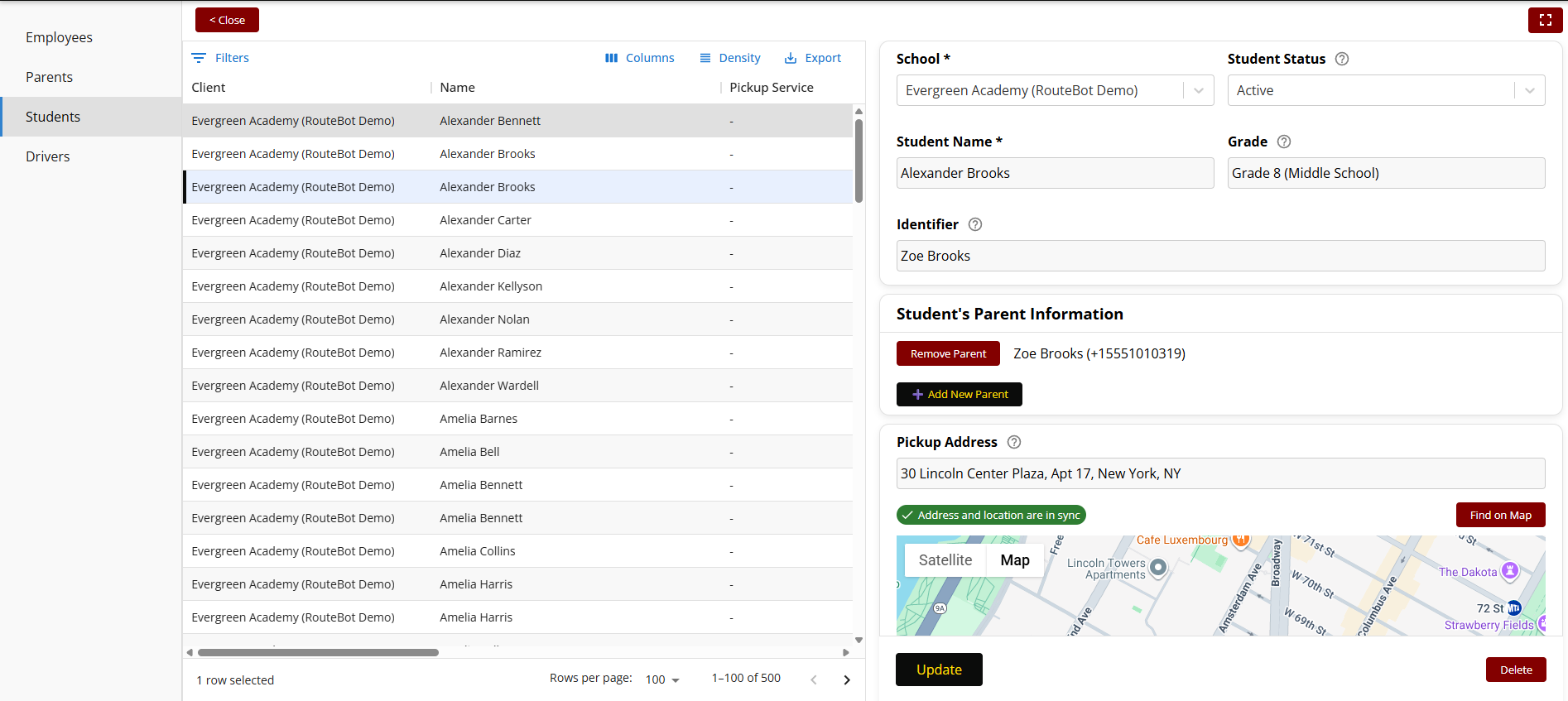
From the student list, you can also connect parents and configure their app notification preferences. The trip alerts are push notifications; the transportation office can send SMS messages through a separate messaging workflow. The available trip notifications:
- Bus is approaching the pickup point
- Bus arrived at the school
- Bus left the school
- Bus is approaching the drop-off point
- Student did not get on the bus
Approach and school-arrival alerts use the driver's GPS position and the route's stop assignments. Departure alerts follow the driver's departure confirmation, and did-not-board alerts follow the driver's passenger-list action. GPS does not identify who boarded. More on planning a communication workflow in our trigger ladder playbook.
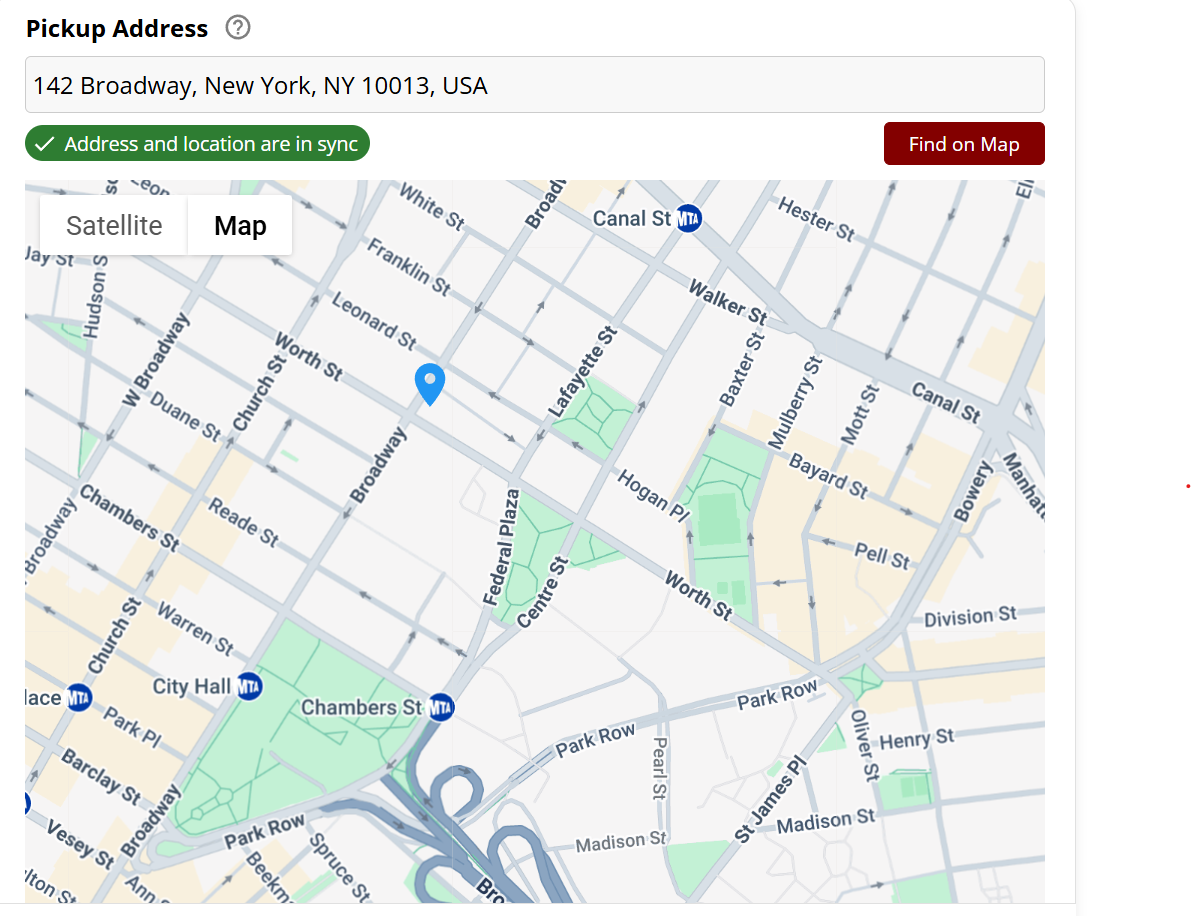
When you change the address, the map pin moves. When you move the pin, the address updates. It sounds simple, but bad geocoding is the single biggest source of bad routes.
Automatic passenger distribution
Route generation reduces manual passenger assignment. Select a school or destination, set the maximum passengers per vehicle, and choose pickup or drop-off. The system groups passengers into proposed services using their locations and capacity settings. Review those groups before working on the stop order within each route.
The 500-student run shown in the linked guide takes under a minute; processing time depends on the roster and routing-service responses. The output is a set of proposed routes to review, adjust, and approve. We wrote more about the distribution process in school bus routing software, including a video demo of the 500-student run.
When reviewing generated routes, compare the number of services, passenger loads, and travel requirements. Fewer routes can mean longer rides, so your team needs to check the proposal against its operating requirements. Using Optimize on one existing route is a separate action; it does not redistribute the roster across the fleet or guarantee the minimum possible vehicle count.
Route optimization and shortest paths
Once students are assigned to a route, use Optimize to improve the visit order of those stops. RouteBot uses road-based routing rather than straight-line distances. Review the proposed path and estimated travel times against local access restrictions; the calculation does not guarantee the shortest possible route or account for every condition a driver may encounter.
With a target time set, RouteBot calculates pickup times backward from destination arrival and drop-off times forward from departure. Planners can adjust any assignment, lock specific students to specific buses, or resequence manually and re-optimize around the changes.
Real-time tracking and notifications
Once routes are live, drivers use the RouteBot mobile app to run their routes. The app sends GPS updates continuously. Parents see the bus location in their own app, with a freshness indicator showing how recent the last update is.
Approach alerts fire automatically when the bus enters the configured distance from a stop, and school-arrival alerts use the school's arrival-distance threshold. The driver reviews the passenger list and confirms departure for the afternoon trip. If a student does not board, the driver records that absence to trigger the corresponding parent alert. These actions distinguish vehicle movement from passenger attendance.
For a detailed playbook on rolling out tracking and notifications, see school bus tracking app rollout.
It works the same for corporate shuttles
The routing engine doesn't care whether the passenger is a 7-year-old going to school or an engineer going to an office park. The constraints change (shifts instead of bell times, badge access instead of parent notifications), but the optimization is the same.
RouteBot handles both in one system. If you run school routes in the morning and employee shuttles in the afternoon — or if you're a transportation company serving both — you don't need two products. Same engine, same interface, different configurations. For how mixed fleets interact with routing, see mixed fleet route optimization.
Try it yourself
The live demo lets you add students to a school, generate proposed routes using capacity settings, and optimize the stop order within an existing route. No signup, no sales call required.
If you want a walkthrough with your own data, you can request a call and we'll run it together.
I also wrote about some of the technical decisions behind RouteBot on dev.to: Building Smarter School & Staff Transportation: Lessons from RouteBot.
Related reading
- School Bus Routing Software: Complete Guide
- Manual vs Algorithmic Route Planning
- School Bus Notification System Playbook
- School Bus Tracking App Rollout
Written by Emrah G., founder of RouteBot. Follow on Twitter/X.