Import Students from Excel Without Rebuilding Your Spreadsheet
A factory shift list arrived half an hour before the shuttles left. Here's why we rebuilt RouteBot's Excel import.
We've seen the same Excel problem in both school and employee transportation.
Some of our bus operator customers would receive an Excel file at the last minute telling them which students were staying for extra study that day. A list could have 500 names on it.
One operator had just signed the biggest factory in their city. About 3,500 employees. The factory was going to send the shift lists before the service started. They never agreed on a time. The service started anyway, and on the first morning the list arrived half an hour before the shuttles left.
The operator panicked. The staff worked through the file as hard as they could. There was no time to build proper routes from the list, so they wrote each vehicle's destination on a sheet of paper and put it on the front. Employees walked the campus, reading the signs, looking for the shuttle they were supposed to board. We didn't know who had got on which one.
We already had an Excel import, in a format we had defined. This file wasn't that format.
That night we built a reader for the file the factory had sent. The next day, when the new list arrived, we uploaded it directly into RouteBot. RouteBot assigned people to the shuttles, and the drivers and the shift staff got an SMS. Within about ten minutes everyone knew what they were doing.
That reader understood one file. Other lists were still arriving in their own shape. Column names were completely different, or there were no headings at all. Some files contained just a list of people. Others had so many worksheets that it looked as though every department at the school or factory had filled in its own tab.
Somebody at the transport company still had to turn each new file into the format we'd asked for before they could upload it.
I wanted to get rid of that conversion step.
That's why we built the new spreadsheet reader at app.routebot.com/start. You bring your existing Excel or CSV list, review what RouteBot has understood, and decide what you want to import.
The spreadsheet doesn't have to follow our template
The reader can work with student names, schools, classes, addresses, parent details, and service assignments, even when those details are spread across multiple worksheets.
AI helps interpret unfamiliar layouts alongside the regular spreadsheet reader. You can see the students and fields it found before anything is saved. If something has been misunderstood, you can correct it first.
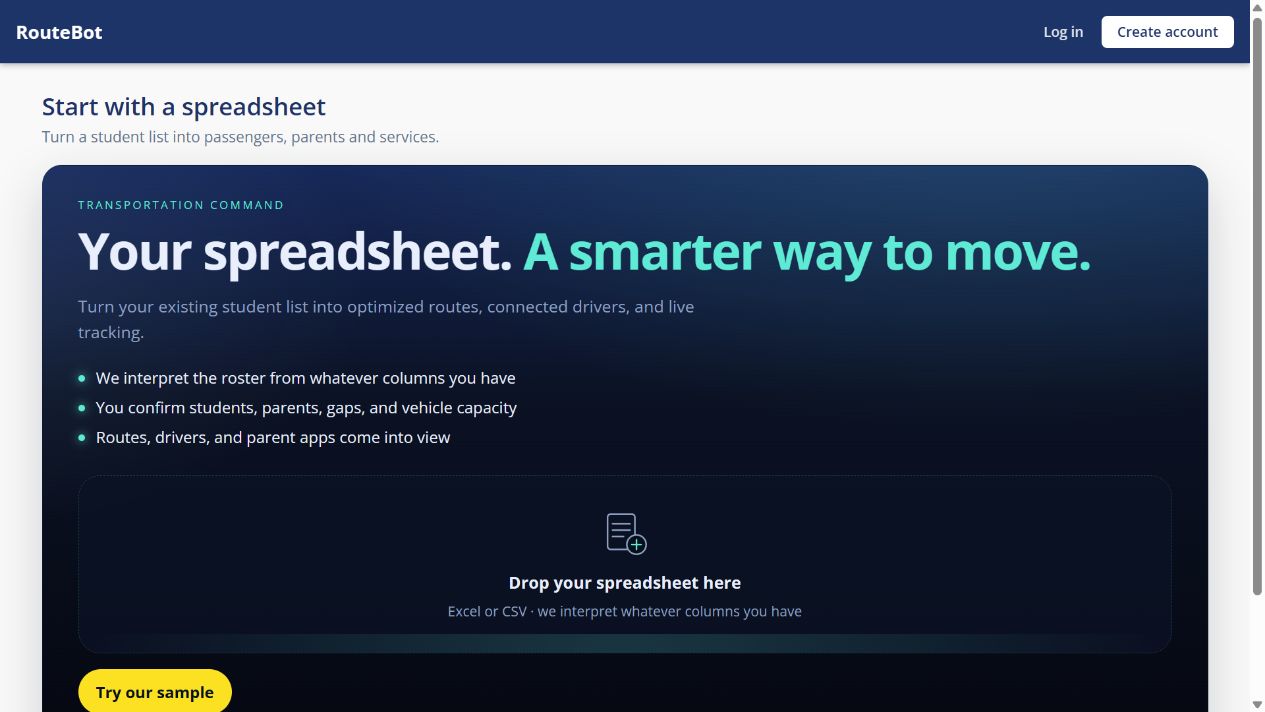
The new starting page accepts your existing Excel or CSV file. You can begin reviewing a roster before creating an account.
Keep the morning and afternoon assignments
Two students can travel together in the morning and go home on different services after activities. A single "bus" field would lose that distinction.
RouteBot reads the two assignments separately, so those differences stay intact.
Most of these students may already be in your account
This comes back to the late study list. If the students are already registered, you shouldn't have to create another set of student records just to put them on services.
The import includes an "Only build services" option. It can place matched, registered students on the services named in the file.
We've also received lists where a name was written differently from the registered record. "Alex S." in the file, for example, when we have "Alex Swift" in the system. The reader can propose a match, and you can check it during the review instead of searching for every abbreviated name yourself.
This is still an import rather than a full synchronization of your account. Leaving a student out of a later file does not mean their existing record or route assignment should be deleted.
And it's still worth checking the actual pickup point. A correct street address can put the stop at the wrong entrance, and a school's bus gate may be around the corner from its postal address. How we plan the route after that is in school bus routing software.
Try it with one school
The upload accepts .xlsx, .xls, and .csv files up to 8 MB. PDFs and photographs of printed lists aren't supported by this upload.
If a large sheet produces a warning that only its first 400 rows were read, split it into smaller files and check each batch.
You can open app.routebot.com/start and review a file without signing up first. If you already use RouteBot, sign in before importing so you can review matches against your current students and schools. To see a school that's already loaded, open the live demo.
Open the spreadsheet import. If you get stuck with a file, book a walkthrough and we can look at it together.
For me, the goal is simple: when an operator receives a new list from a school or factory, they should not have to rebuild it before using RouteBot.
In the past, we asked them to enter data manually or reshape their spreadsheet to match our template. Now I want RouteBot to do more of that work for them.
Written by Emrah G., founder of RouteBot.